Fuel and MPG
The log
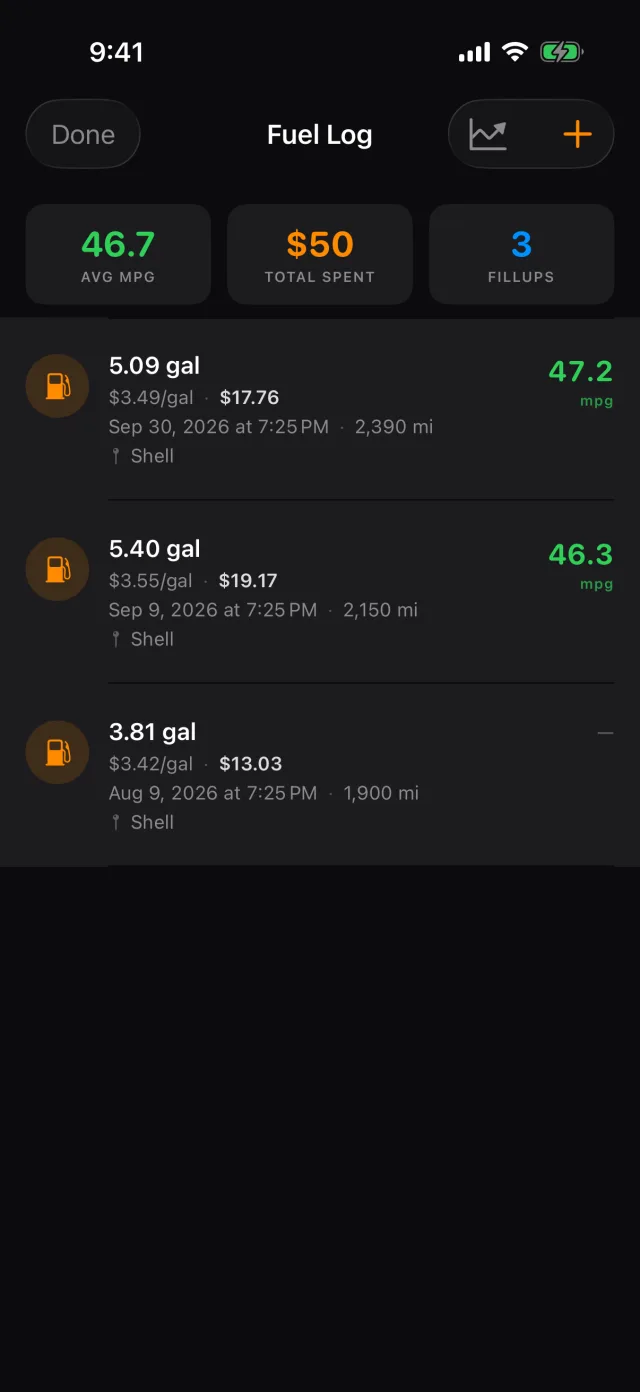
- Tap Fuel along the bottom.
- The figures across the top are for the bike you are on.
- Swipe a fill-up left to delete it.
Logging a fill-up
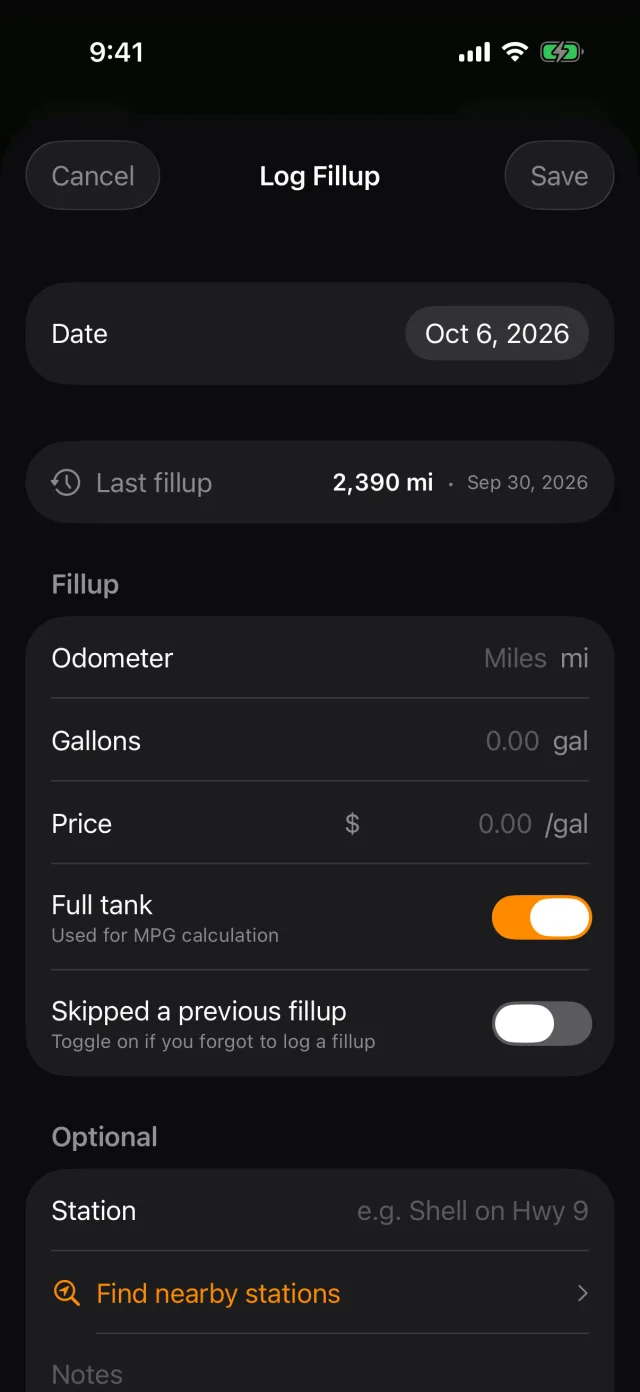
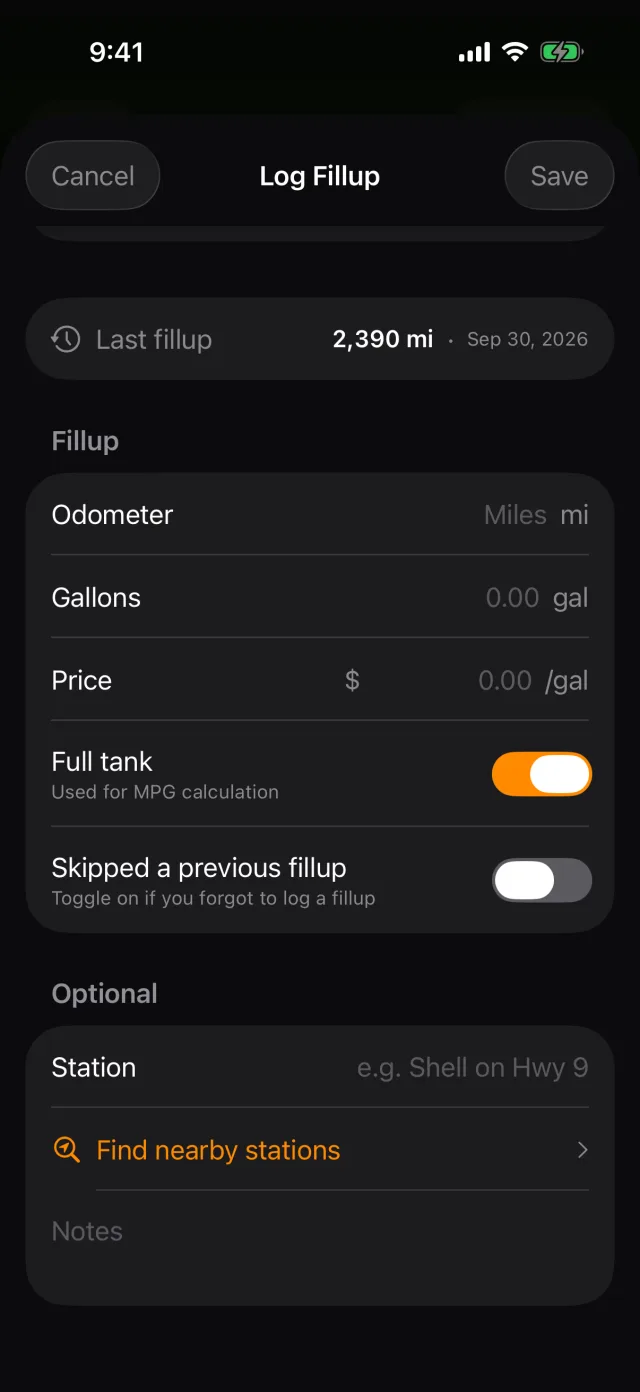
- Tap + in the top right.
- Type the odometer reading, the gallons and the price per gallon. RIDR shows the total as you type.
- Leave Full tank on if you filled it. MPG is worked out between full tanks, so a splash-and-dash with the switch left on would quietly skew it.
- If you missed logging the fill-up before this one, turn on Skipped a previous fillup. RIDR leaves MPG out for this entry rather than reporting a number it knows is wrong, and starts again from the next one.
- Find nearby stations names the station for you.
- Tap Save.
Tip: The first fill-up on a bike cannot produce an MPG figure — there is nothing to measure it against. The second full tank is where the numbers start.
What RIDR works out
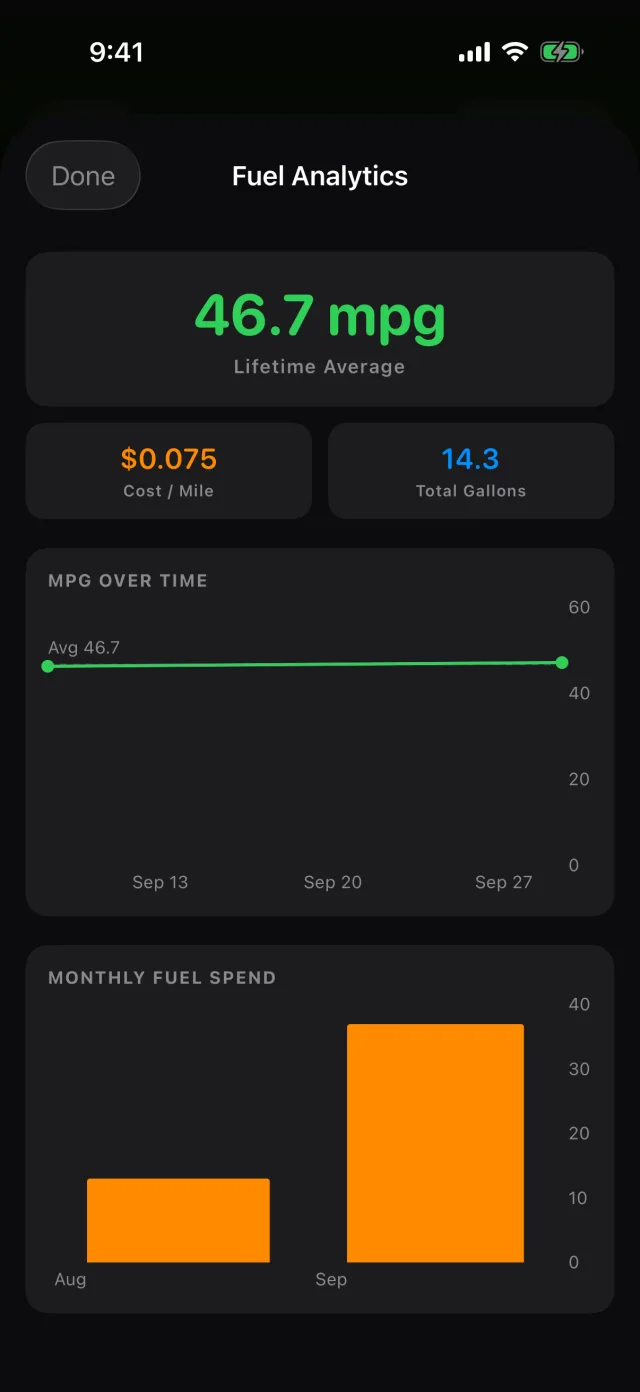
- Tap the chart button in the fuel log's top bar.
- RIDR shows average MPG, cost per mile, and how both have moved.
Tip: Fuel analytics is part of RIDR Pro. Logging fill-ups, and the figures at the top of the log, are free.
Shot from RIDR 3.17 (build 125) · 7 October 2026