Getting a bike into RIDR
Three steps, about five minutes, and you only do it once per bike. Everything else in the app runs off what you set up here.
Add the bike
- Tap Scan VIN with Camera and let the camera read the 17-character VIN off the frame neck or your title. If the light's bad or the sticker's painted over, type it and tap Decode VIN instead.
- Older than 1981? Flip Pre-1981 / Vintage. Pre-1981 machines don't have a modern VIN — RIDR takes the frame number and stops arguing with you.
- Nothing decodes? Enter Details Manually. Barn finds, rebuilt customs and one-offs all get a full record like anything else.

True up the odometer
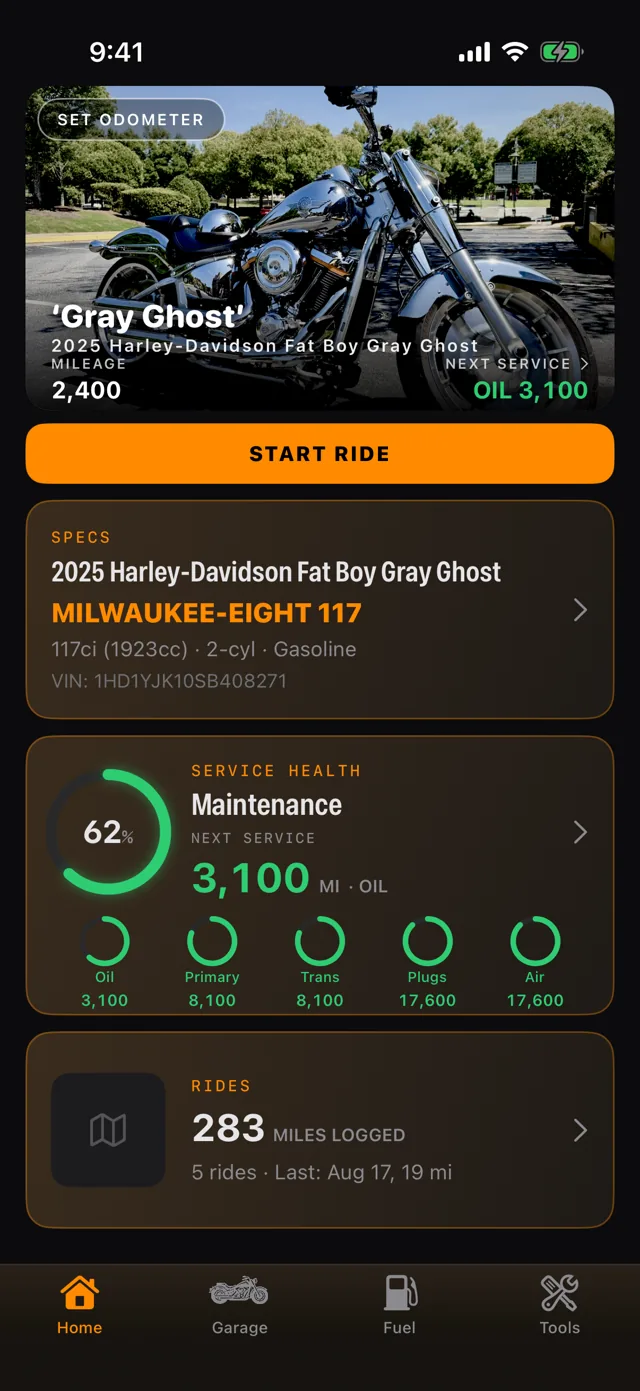
- Tap SET ODOMETER on the bike photo, or the mileage pill on the bike card.
- Type what the bike actually reads right now and save. Everything downstream — service countdowns, the health ring, fuel math — is measured from this number, so it's worth walking out to the garage to get it right.
- You can true it up again any time. Rides add miles automatically, but if you trailer the bike or ride without your phone, this is how you correct the drift.

Check what came back
- Open the specs card and read down. Capacities, oil type, filter part numbers, torque figures, tire sizes.
- Harley coverage goes deepest — you'll see the OEM filter number alongside a K&N cross-reference, and primary and transmission capacities called out separately rather than lumped together.
- The app says it on the screen and it's worth repeating: these are reference estimates. Check them against your service manual before you put a wrench on anything.

Reading the service health ring
The big ring on the dashboard is a single number for “how caught up is this bike.” The small rings under it are the individual services feeding it — oil, primary, transmission, plugs, air.
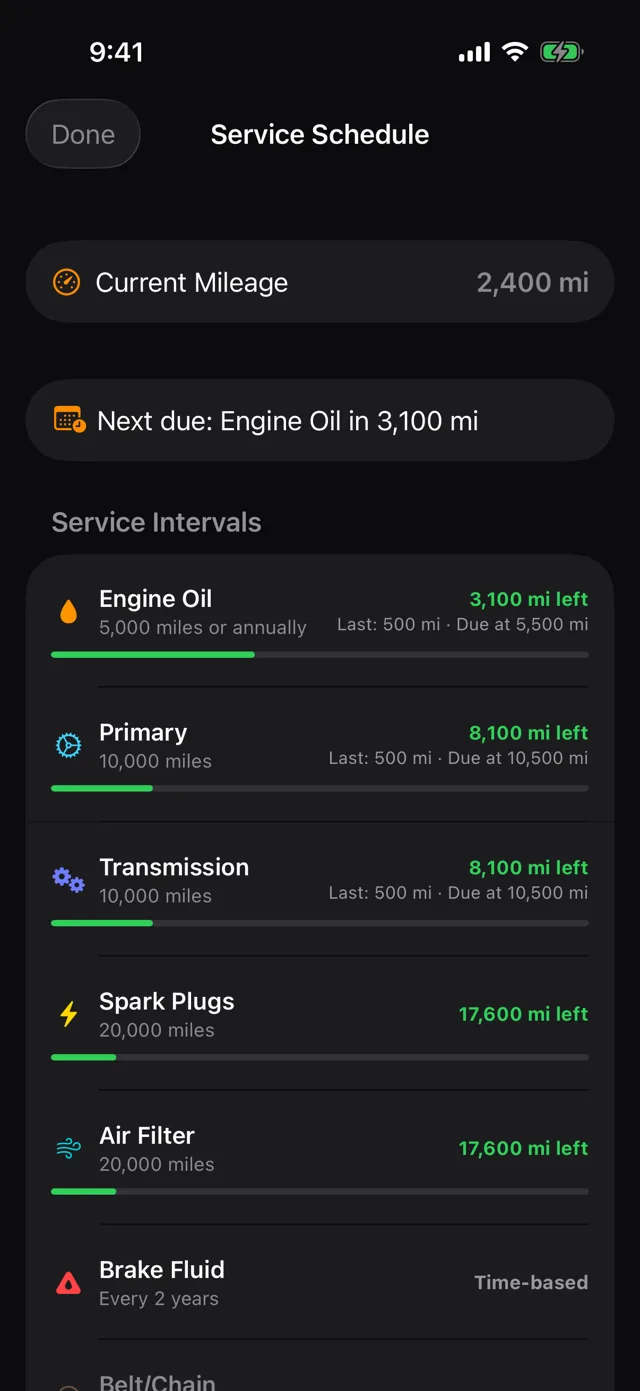
- Miles left, not miles since Every row shows what's left before it's due, the interval it's counting against, and the mileage of the last service. 4,174 mi left means exactly that.
- Time-based items too Brake fluid doesn't care about mileage. Items on a clock rather than an odometer are grouped under Time-based.
- Not everything is tracked by default Belt and chain start as Not tracked — set interval. Tap it and set your own interval if you want it in the ring.
- Next due, up top The line under the mileage tells you the one thing you actually need to know: which service is closest and how far off it is.

Making the intervals yours
The factory numbers are a starting point, not scripture. If you run a different oil, ride harder than the manual assumes, or just prefer a shorter leash, change it.
- Change one number Tap any service, set your own figure, save. The countdown and the ring immediately recalculate against your number.
- The factory figure stays visible It's printed right under the field, and Reset puts it back if you change your mind.
- Or stop tracking it Stop Tracking pulls a service out of the ring entirely — useful for things your bike doesn't have.

Logging what you did
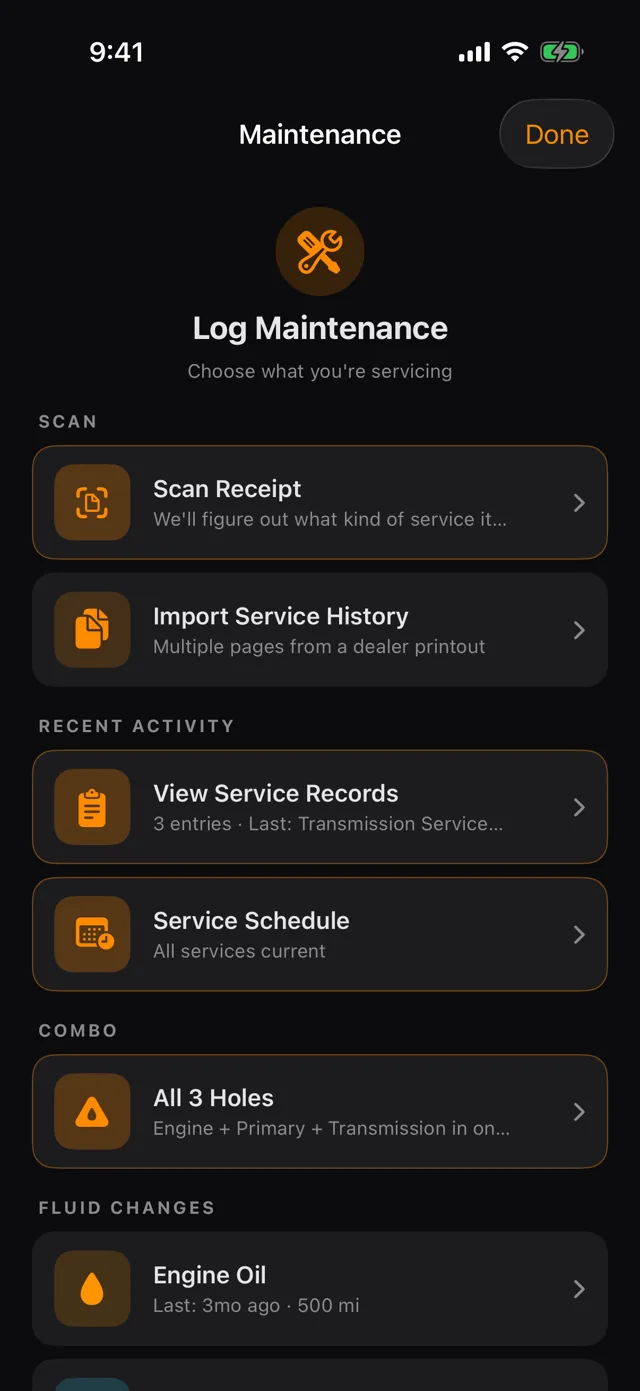
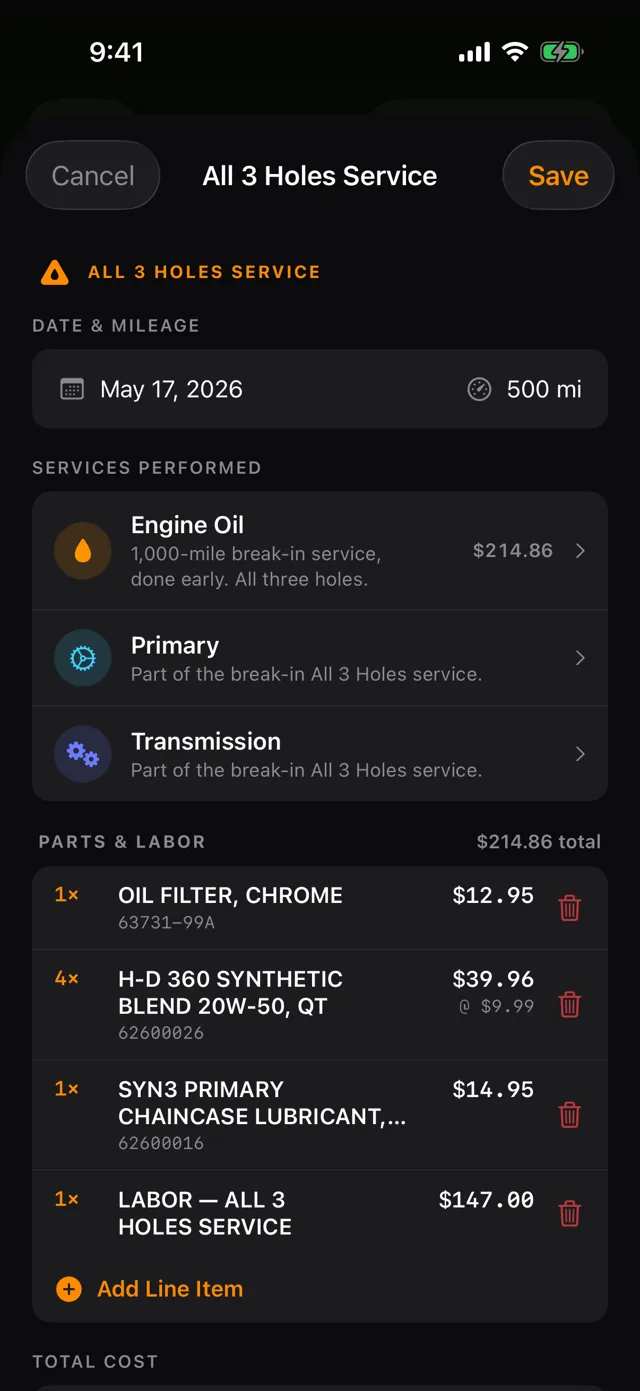
Every record carries a date, the mileage it happened at, who did it, and what it cost. Filter chips across the top narrow to one service type when you're trying to remember when you last did plugs.
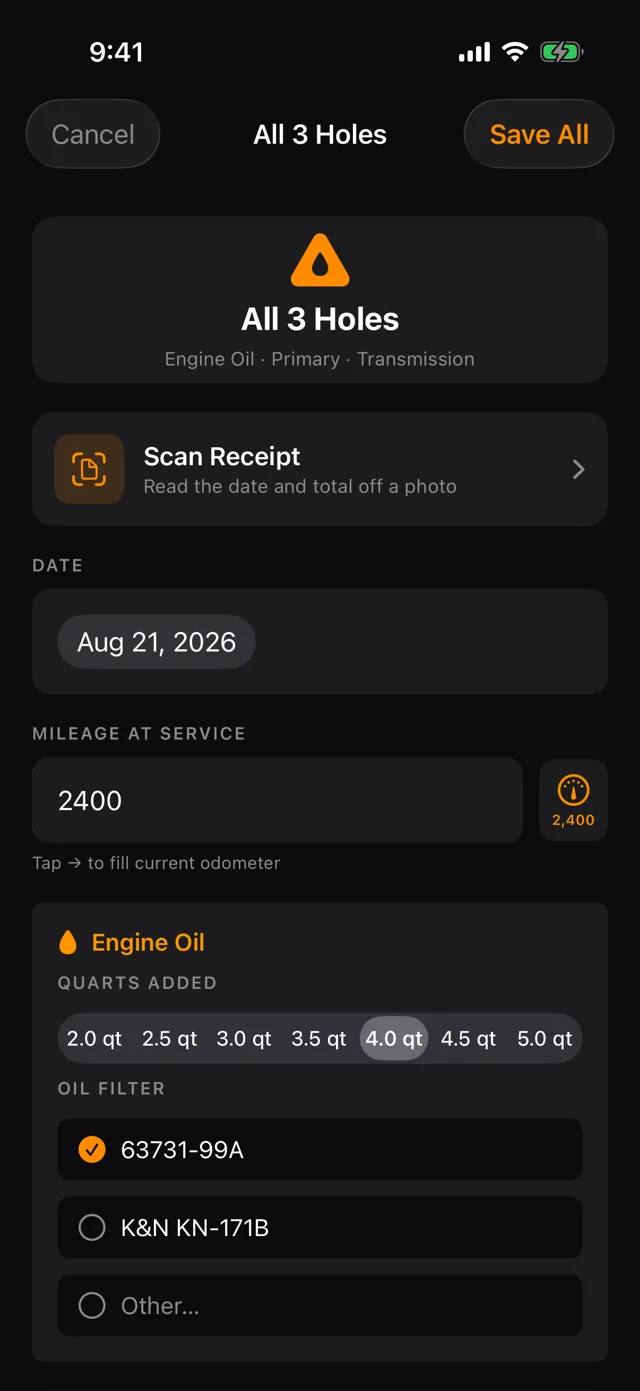
- All 3 Holes, one entry Oil, primary and transmission are one job in the garage, so they're one entry here. It logs as a single All 3 Holes Service and resets all three countdowns at once.
- Upgrades count too Risers, pipes, a seat — logged with part name, brand, part number and cost, so the money that went into the bike is in the same history as the maintenance.
- Line items A job with several parts gets a row per part. Add Line Item adds another.
- Cost adds up quietly Every entry carries its cost, so the history doubles as a running total of what the bike has actually cost you.

Scanning a receipt instead of typing it
Photograph the receipt. Date, vendor, total and every line item come back parsed — and the parts on the ticket pre-select the service you did, so an oil filter part number and five quarts opens the All 3 Holes entry with the boxes already checked.
- Every line, not just the total A twenty-part ticket comes in as twenty rows.
- Fix what it got wrong OCR does the typing; you correct the one character it fumbled and move on.
- It flags the gap If the line items don't reach the printed total — tax, labour, shop fees — RIDR points at the difference rather than silently overwriting your numbers.
- The photo stays attached It lives on the record and rides along into the PDF export. Years from now it still says who did the work and what it cost.

Tracking a ride
Tap START RIDE from the dashboard or the wrist. GPS feeds the odometer, so your service countdowns stay honest without you doing anything.
- It shows on the lock screen A Live Activity appears the moment the ride starts — distance, speed and elapsed updating without you unlocking anything. It fires even when the ride was started from the watch.
- Pause when you stop Fuel, food, a two-hour porch sit. Pausing splits the clock: elapsed keeps counting, rolling time stops, and GPS shuts off so you're not burning battery mapping a parking space. The Live Activity turns amber and reads PAUSED.
- Share it live Send a live.ridr.net link and whoever has it watches you move on a map — no app, no account, nothing to install. The link dies with the ride.
- History and totals Rides roll up into all-time distance, top speed and hours. Star the good ones and they surface under favourites.

Finding somewhere to ride
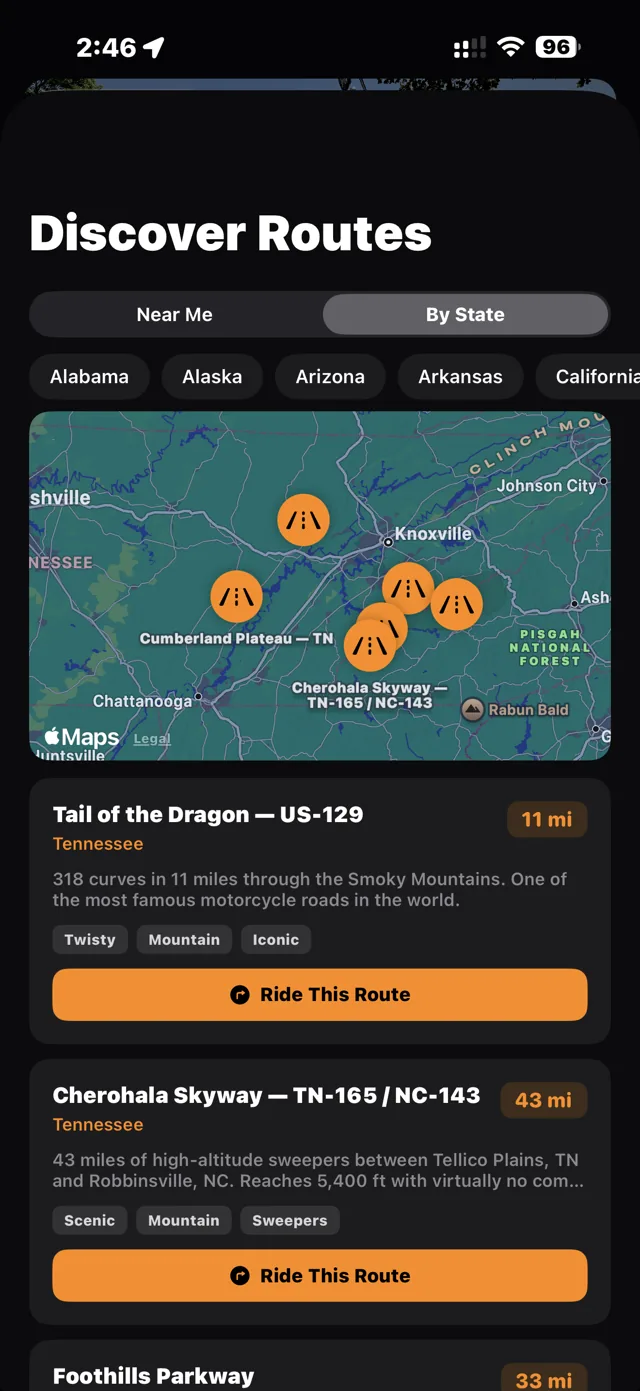
Curated roads rather than an algorithm's idea of a scenic detour — Wolfpen Gap, the Richard Russell Scenic Highway, the Suches loop. Browse Near Me or By State.
- Tagged by character Twisty, technical, mountain. You know within a glance whether it's the kind of road you're in the mood for.
- Ride it and log it LOG RIDE + NAVIGATE starts a tracked ride on the bike you pick and hands the route to navigation, so the miles land on the right machine.

Logging fuel
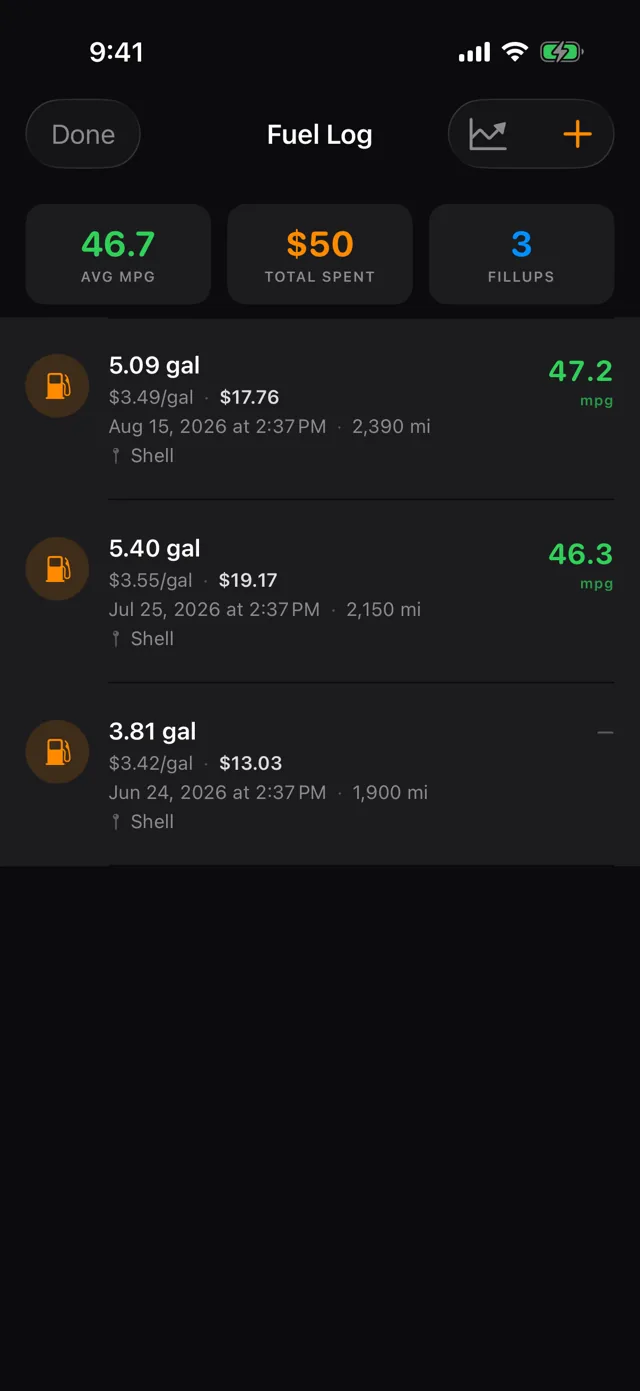
Odometer, gallons, price per gallon. RIDR does the rest — running average MPG, total spent, cost per mile.
- Full tank matters Full tank is what makes the MPG maths valid. Leave it off for a splash-and-go and it won't poison your average.
- Missed one? Skipped a previous fillup tells the app there's a gap, so it doesn't calculate a wild number across two tanks.
- Find the station Find nearby stations tags the fill-up with where you actually stopped.
- Or log it from the wrist Fill-ups logged on the watch land in the same log, marked so you know where they came from.

Running more than one bike
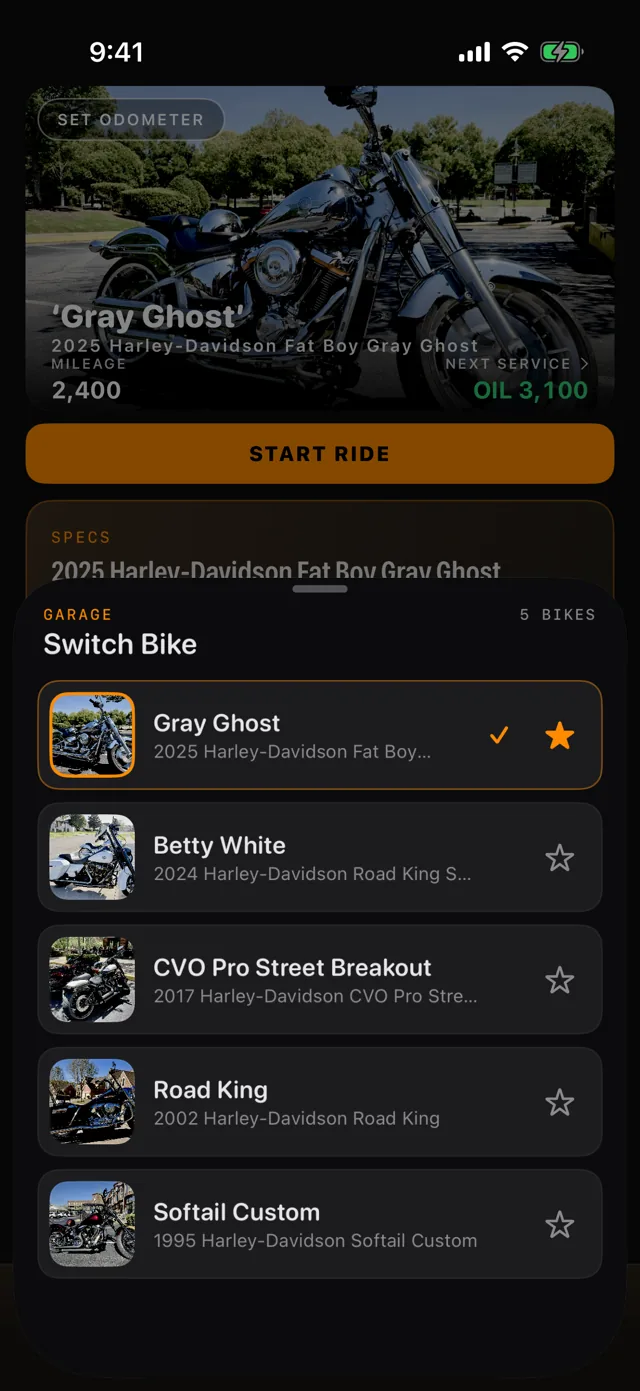
Every bike keeps its own odometer, its own intervals, its own service history and its own fuel log. Nothing is shared or averaged between them.
- Switch in one tap Switch Bike changes which bike the dashboard, the ride tracker and the watch are all pointed at.
- Favourites float Star the ones you ride most and they stay at the top.
- Mixed garages are fine A 2025 Fat Boy and a 1976 Bonneville sit in the same list, each on its own intervals.

Crash alerts and safety SMS
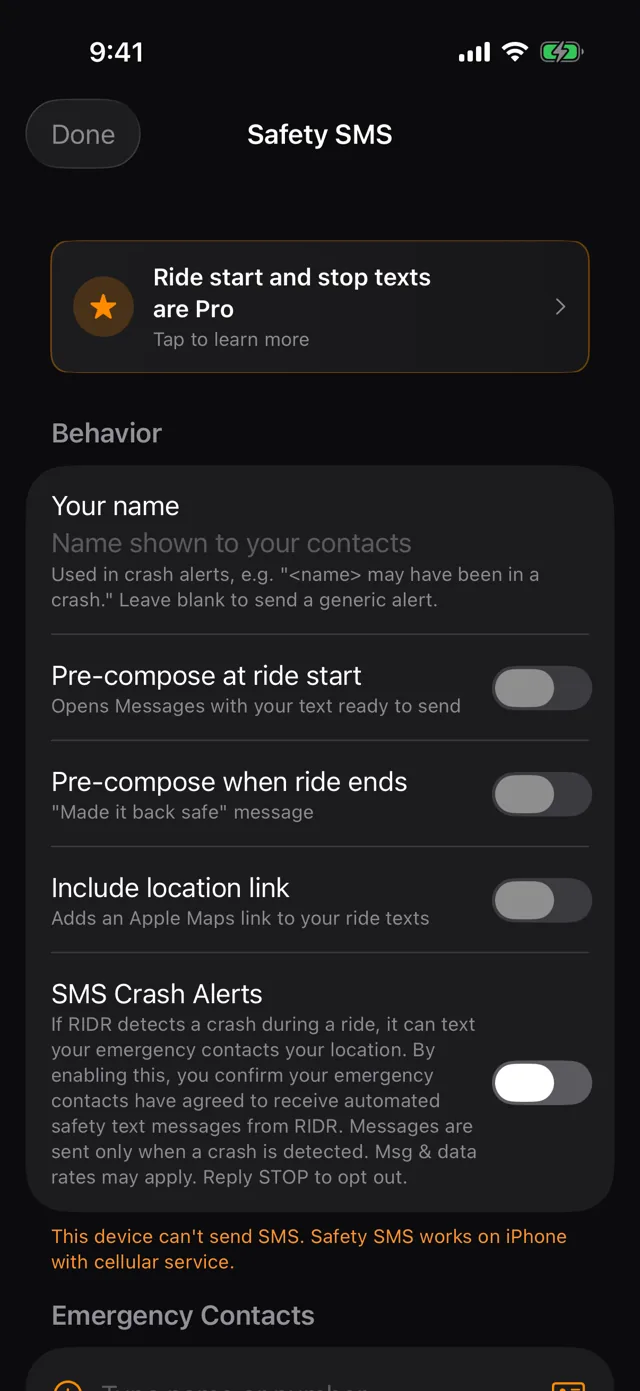
If RIDR detects a crash, it can text someone. Your name goes in the message so it reads like a person rather than a robot — leave it blank and it sends a generic alert instead.
- Tell someone you're leaving Pre-compose at ride start opens Messages with the text ready to send.
- And that you got back Pre-compose when ride ends does the same for a made-it-home message when the ride ends.
- Include where you are Include location link attaches your location to the alert.

On your wrist
The watch app is not a remote control for the phone — it logs on its own. Start, pause and stop a ride, log a fill-up with the Digital Crown, or answer Log Oil Change? without taking a glove off. A complication on the face shows a ride in progress.


Settings and your data
There is no account to make and no server of ours holding your history. Everything lives in your own private iCloud and syncs between your devices because Apple moves it, not because we do.
- Metric or imperial. Use metric units switches distances to kilometres and fuel to litres and L/100km. Stored data doesn't change — only how it's shown.
- Sync is automatic. Log a fill-up on the watch and it's on the phone. Add a bike on the phone and it's on the watch.
- Export it. Service history comes out as a PDF, receipt photos included — useful at trade-in, or for the next owner.
- Nothing is watching. No analytics, no ad networks, no tracking. Check the version and build any time on the About screen.